

Absolute paths
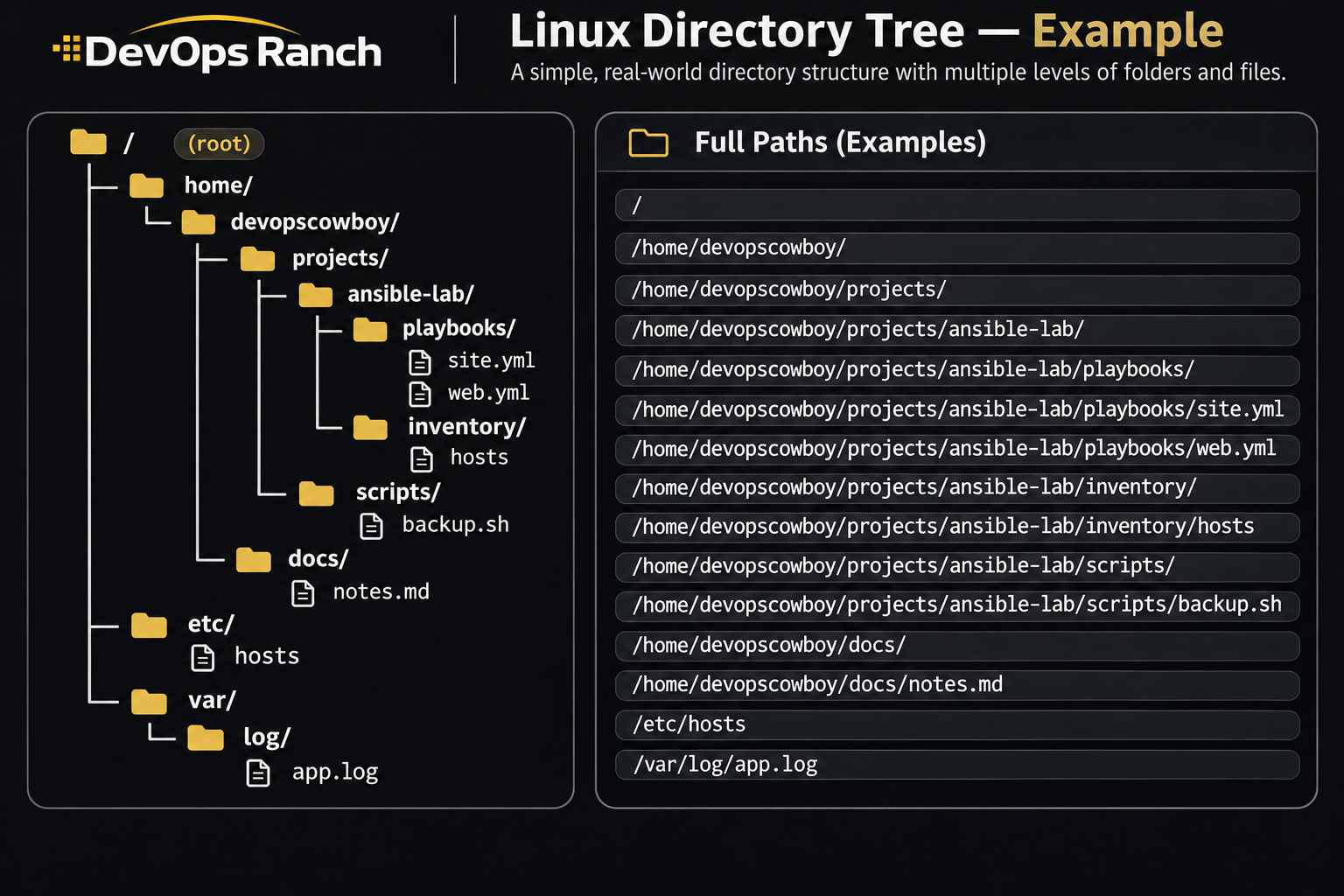
An absolute path starts with /. That slash is the root, the top of the filesystem, and the path lists every directory from there down to the file. It names the same place no matter which directory you are in.
A relative path has no leading /. It starts from the directory you are in now, the one pwd prints.
Cheat sheet
Storage
Disk space, partitions, LVM, filesystems, mounts, and swap.
On this page
Disk and memory
df -h
df -i
du -xh -d 1 / | sort -h
lsblk -f
free -h
df -h is free space by filesystem. df -i is free inodes. A disk that is out of inodes looks full while df -h still shows free space, which happens when something has created millions of tiny files. du -xh -d 1 / is the size of each top-level directory, staying on one filesystem, and sort -h orders the human-readable sizes. lsblk -f adds filesystem type and UUID, which is what you copy into /etc/fstab. free -h is memory; the available column is the one that answers “can this box take more work?”
Storage, LVM, and mounts
lsblk -f is the map of disks, filesystems, and UUIDs. parted below destroys what is already on /dev/sdb.
RHEL 9 and 10, and any GPT disk. The partition needs a name. mkpart does not format anything. mkfs.xfs does.
lsblk -f
sudo parted --script /dev/sdb mklabel gpt mkpart data xfs 1MiB 100%
sudo udevadm settle
Older hosts, and any MBR disk. primary is the MBR partition type. RHEL’s parted rejects it as the type on GPT, on RHEL 7, 8, and 9 alike. Use it only after mklabel msdos.
sudo parted --script /dev/sdb mklabel msdos mkpart primary xfs 1MiB 10GiB
sudo udevadm settle
sudo pvcreate /dev/sdb1
sudo vgcreate vgdata /dev/sdb1
sudo lvcreate -n lvapp -L 5G vgdata
sudo mkfs.xfs /dev/vgdata/lvapp
sudo blkid /dev/vgdata/lvapp
udevadm settle waits until /dev/sdb1 exists. A whole disk can be a physical volume with pvcreate /dev/sdb when you do not need a partition table. RHEL’s LVM guide uses that form.
Paste this into /etc/fstab. It is a file line, not a shell command. The UUID comes from blkid. The last two fields are dump and fsck pass. XFS uses 0 0.
UUID=11111111-2222-3333-4444-555555555555 /app xfs defaults 0 0
sudo systemctl daemon-reload
sudo findmnt --verify --verbose
sudo mount -a
sudo lvextend -r -L +2G /dev/vgdata/lvapp
daemon-reload rebuilds the mount units from fstab. On RHEL 8, 9, and 10, findmnt --verify checks the file before a reboot. The RHEL 7 storage guide does not document that flag. Use sudo mount -fav there: -f fakes the mount, -a reads fstab, -v prints what it would do. mount -a mounts what is not mounted yet. lvextend -r grows the logical volume and the filesystem together. +2G adds two gigabytes. Without the plus sign, -L 2G sets the size to two gigabytes. XFS can grow only while it is mounted, which lvextend -r requires.
Swap is a logical volume plus an fstab line. swapon -a enables only the swap devices listed in fstab, so the device has to be turned on by path until that line exists.
sudo lvcreate -n lvswap -L 2G vgdata
sudo mkswap /dev/vgdata/lvswap
sudo swapon /dev/vgdata/lvswap
The matching /etc/fstab line, after you replace the UUID from blkid:
UUID=11111111-2222-3333-4444-555555555555 none swap defaults 0 0
NFS needs nfs-utils. _netdev tells boot to wait until the network is up.
sudo dnf install -y nfs-utils
sudo mount -t nfs nfs01:/exports/share /mnt/share
The matching /etc/fstab line:
nfs01:/exports/share /mnt/share nfs defaults,_netdev 0 0
XFS grows and never shrinks. A bad fstab line drops the host into emergency mode on the next boot. On RHEL 8, 9, and 10 run
findmnt --verifyfirst. On RHEL 7 runmount -fav.