

Absolute paths
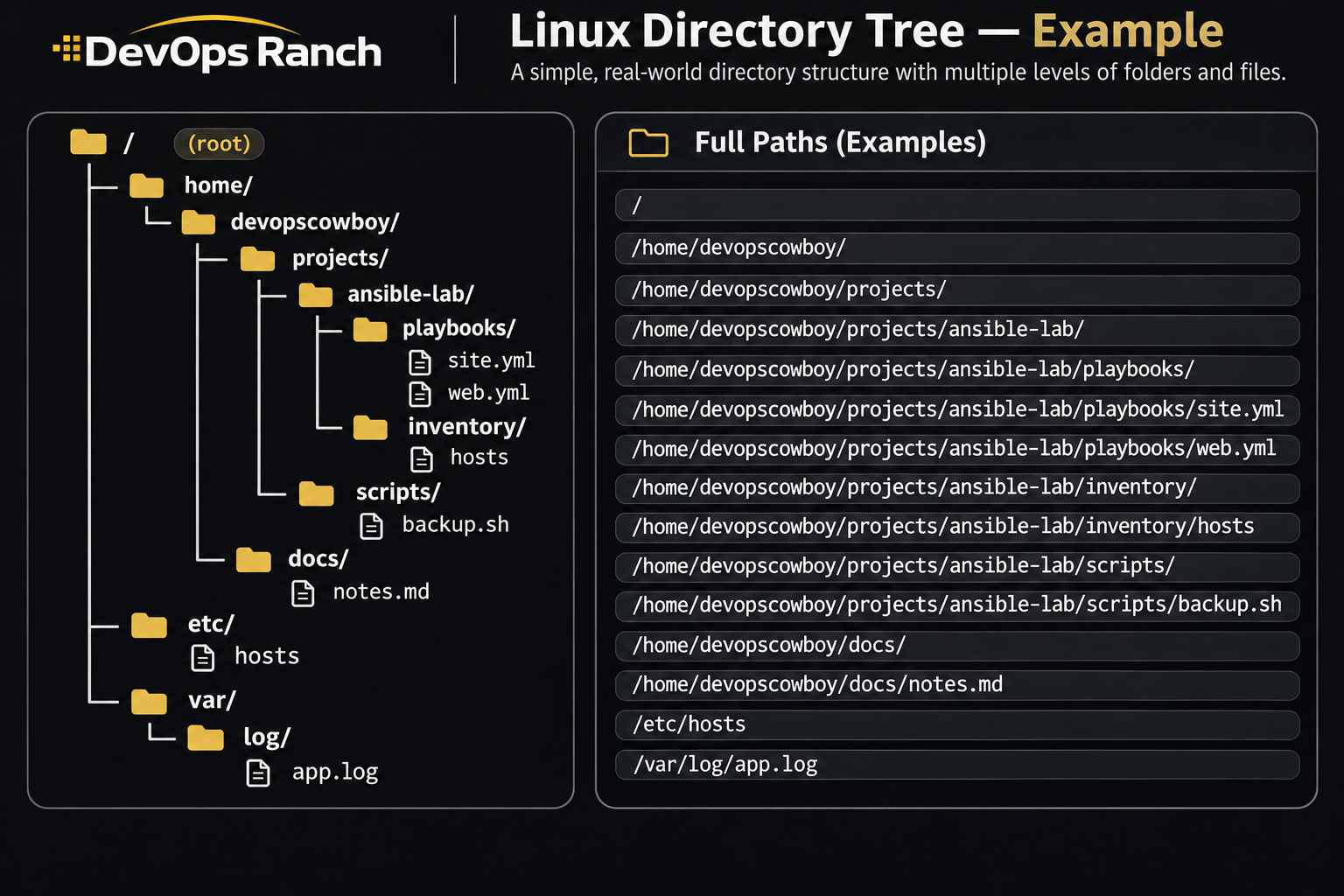
An absolute path starts with /. That slash is the root, the top of the filesystem, and the path lists every directory from there down to the file. It names the same place no matter which directory you are in.
A relative path has no leading /. It starts from the directory you are in now, the one pwd prints.
Section
Linux and Bash
Files, users, storage, systemd, and the RHEL admin tasks that keep a host understandable.
On this page
These are the commands for RHEL 9 and 10. Where RHEL 7 or RHEL 8 still differs, that release is labeled under the current command. The same work, taught from zero, is on the Linux lessons. Each lesson has a lab.
Checked against the RHEL 7 System Administrator’s Guide (yum, networking, chrony, ntpd, systemd) and Security Guide (iptables), the RHEL 8 basic system settings and firewalld docs, and the RHEL 9 product documentation for firewalld, SELinux, parted, LVM, and basic system settings. RHEL 10 uses those same RHEL 9 commands.
Topics
Getting Around
Who you are, where you are, and how a path is built on a RHEL host.
Files and Directories
Create, copy, read, search, and archive files and directories.
Users and Groups
Accounts, groups, sudo, and SSH keys.
Permissions
Modes, the sticky bit, ACLs, and SELinux labels.
Processes and Jobs
What is running, which process owns a port, and how to tune it.
Storage
Disk space, partitions, LVM, filesystems, mounts, and swap.
Networking
Addresses, NetworkManager, firewalld, and port checks.
Services and Boot
systemctl, boot targets, unit logs, and resetting a lost root password.
Packages
Install, query, and undo packages with dnf and yum.
Scheduling and Time
cron, at, systemd timers, and the clock on RHEL.
Logs and the Journal
journalctl and the text logs RHEL keeps under /var/log.
Shell
Arguments, tests, redirection, and the exit status of a short RHEL script.