

Absolute paths
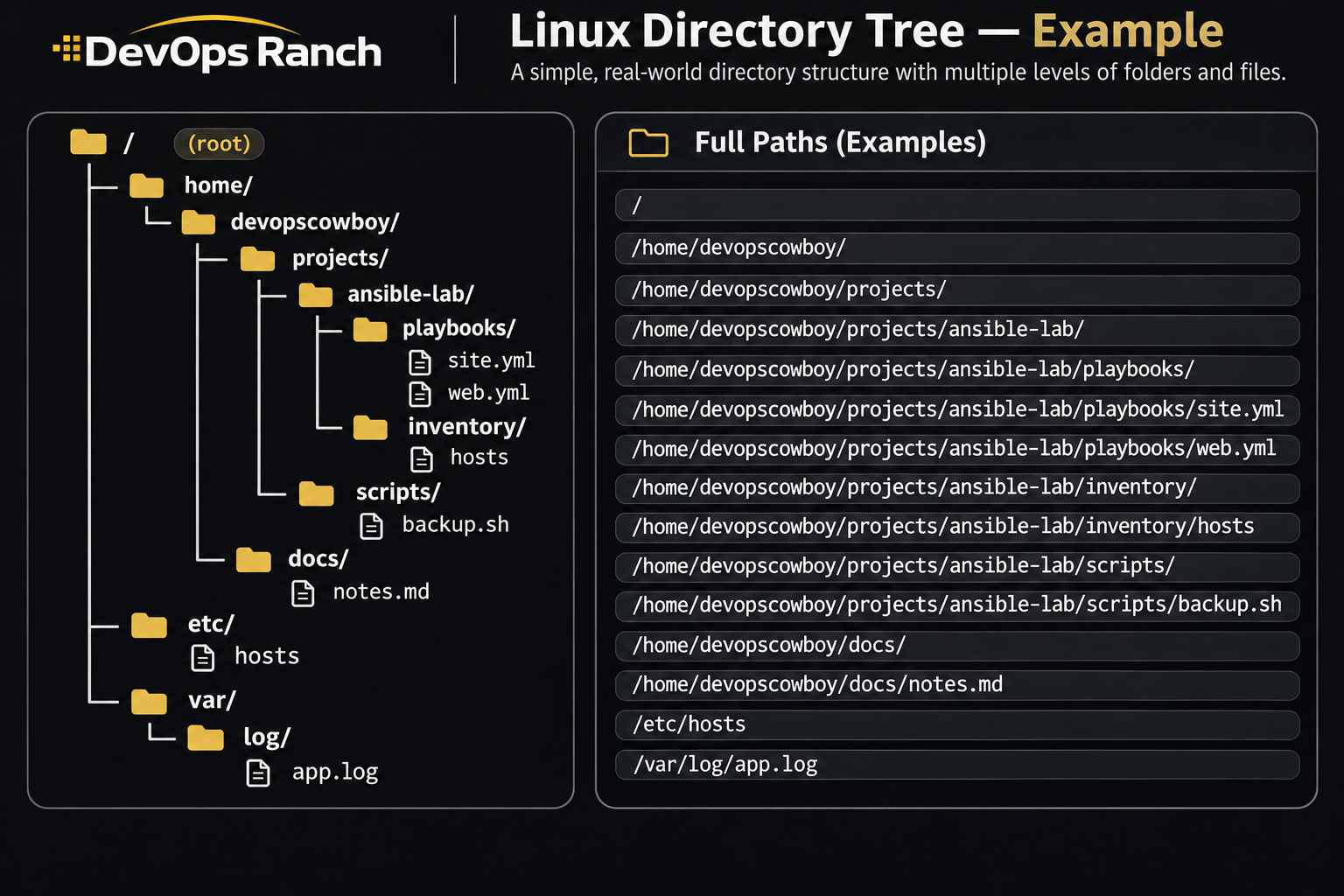
An absolute path starts with /. That slash is the root, the top of the filesystem, and the path lists every directory from there down to the file. It names the same place no matter which directory you are in.
A relative path has no leading /. It starts from the directory you are in now, the one pwd prints.
Lab 01 · Basics
Lab: The filesystem and absolute paths
On a RHEL VM, prove you can read an absolute path and move with both absolute and relative paths.
On this page
Do this on your own RHEL virtual machine, logged in as a normal user. The examples use the account devopscowboy. Wherever a path contains that name, use your username instead. Do not use a file manager.
The task
- Print the absolute path of the directory you are in.
- Change to
/etcwith an absolute path. Print the working directory again. The result has to be/etcno matter where you started. - Go to your home directory. Create the directory
projects/notesthere, including the parentprojectsif it does not exist yet.mkdir -pcreates missing parents and is safe to run twice. - Move into
projects/noteswith a relative path. Print the absolute path of where you landed. - From there, change to
/var/logwith an absolute path, then return withcd -. Print the working directory. It has to be theprojects/notesdirectory again. - Show that
/and/rootare two different directories. If listing/rootsays permission denied, that is the right result for a normal user. You still have to run the command.
Check your work
Run these from the projects/notes directory. Read the output. Do not skip a line that errors. An error is part of the check for /root.
pwd
ls -ld / /root /etc ~/projects/notes
A correct result looks like this:
pwdstarts with/home/and ends with/projects/notes.ls -ld /starts withd, and the name at the end of the line is/.ls -ld /etcstarts withd.ls -ld /rootstarts withdwhen you are allowed to see it, or printsPermission deniedwhen you are a normal user.ls -ld ~/projects/notesstarts withd.~here is your home, so this is the directory you created.
If pwd prints /etc or /var/log, cd - did not bring you back. Do step 5 again.
Solution
Use your own username. The commands below use devopscowboy.
Print the starting directory, then go to /etc by an absolute path and prove it.
pwd
cd /etc
pwd
The second pwd prints /etc.
Go home, create the directory, and enter it with a relative path. cd with no argument is home. projects/notes has no leading /, so it starts from home.
cd
mkdir -p projects/notes
cd projects/notes
pwd
pwd prints /home/devopscowboy/projects/notes.
Leave by an absolute path and come back. cd - returns to the directory you just left, and it prints that path.
cd /var/log
cd -
pwd
Show / and /root as different directories.
ls -ld / /root
/ lists. /root lists only if you are root. As devopscowboy you should see Permission denied for /root, and a line starting with d for /.
The check from inside projects/notes:
pwd
ls -ld / /root /etc ~/projects/notes